Capture
Voice line
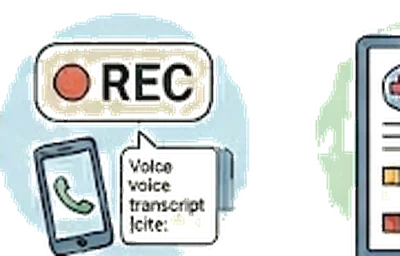
Call (888) 704-0999 from your registered phone and dictate a note. No app, no sign-in, no typing.
The moments you can’t type
Caregivers capture the most important details when they can’t sit at a keyboard: walking back to the car after an appointment, driving home from the hospital, washing dishes after the kids are asleep. By the time you’re in front of your laptop, half of what the doctor said has evaporated. Most caregiver apps assume you’ll log in and type. The real moments don’t wait for that.
A phone number that knows it’s you
Register your phone in Kintaria settings. After that, calling (888) 704-0999 from that number drops you straight into a guided dictation: workspace picker (if you’re in more than one), then "go ahead and record your note when you’re ready." The voice-agent transcribes, runs the same plain-language polish that visit summaries get, and posts to the workspace activity feed. No password, no app launch, no typing. Your siblings see it in the next digest.
Walking out of the ER
It’s 2am. You’re walking to your car after six hours in the ER with Mom. You call (888) 704-0999 from your registered phone. "Mom’s home, they ruled out a TIA. Discharged with instructions to follow up with neuro in 48 hours. She’s tired but stable. I’ll send the discharge papers in the morning." The voice agent confirms ("got it, posting to Mom’s workspace"), hangs up, and your siblings wake up to a clean note in their daily digest.
The longer version
How it works in 30 seconds
- Register your phone number once from notification settings (per-user; works across every workspace you’re a member of).
- Call (888) 704-0999 from that number. The AI agent greets you, confirms which family you’re calling about if you have more than one, and asks what you want to capture.
- Talk for as long as you need. The agent reads what it heard back to you before saving — so you can correct typos or speech-to-text quirks live.
- Open the workspace later; your note is in the feed with a ☎ Voice line badge. One click and AI routes it into an appointment, medication change, visit summary, or follow-up question.
The problem with apps in the middle of caregiving
App-first product design assumes the user is sitting down, both hands free, looking at a screen, with attention to spare. Real caregivers don’t have those conditions most of the time.
The kitchen. Helping Mom out of the car. Standing in a pharmacy line. Walking back from a doctor’s office while she takes a moment on a bench. The minutes after a hospital phone call when you need to capture what was just said but you’re still shaking.
In all of those moments, the act of opening an app, finding the right screen, and typing into a form is too much friction. So the information doesn’t get captured — or it gets captured into a notes app where nobody else can see it.
What Kintaria does
We run a real phone number: (888) 704-0999. You call it. Someone answers — actually an AI voice agent — and asks what’s going on. You talk for a minute. Or two. Or ten. You describe what you’re seeing, what just happened, what you need to remember, what question you have for the doctor at the next visit.
The voice agent does a few things while you’re talking:
- Transcribes what you said into clean text
- Categorizes it — is this a note for the feed, a new medication entry, a missed-appointment heads-up, a question for next time?
- Routes it into the right place in your workspace, so when you’re back at a screen later, it’s already filed correctly
- Confirms what it heard back to you, in case you need to correct something on the call
The next time anyone in the family opens the workspace, the note is there. You didn’t have to look at a screen. You didn’t have to type. You talked for ninety seconds in the parking lot and it’s in the right place.
Why this works (when typing doesn’t)
Voice catches the texture. The exact words the doctor used. The thing Mom said that surprised you. The specific question you want to ask next time. Things you’d edit out if you were typing show up when you’re talking, and they’re often the most important details.
Voice works hands-free. Driving back from the hospital. Cooking dinner. Sitting on the floor next to a fallen parent waiting for the ambulance. Every situation where typing is impossible is a situation where voice still works.
Voice respects the moment. Asking a caregiver to type into a form while they’re actively caregiving feels rude. Asking them to call a number and just talk feels human.
How AI fits into this honestly
The voice agent uses Anthropic’s Claude for understanding and Deepgram for speech-to-text. The recording is processed and discarded; only the text transcript is retained. The AI’s role is structuring what you said — not generating new clinical opinions about it.
Every voice-line entry shows up in your workspace marked as “via voice line” with a timestamp. You can edit the text, recategorize it, or delete it. The AI’s categorization is a suggestion, not a final answer.
What the voice line never does: provide medical advice, answer clinical questions, take action on your behalf, or contact anyone outside your workspace. If you call it asking what to do about a symptom, it tells you to call your doctor or 911.
The honest caveat
The voice line works best for routine note-taking. It’s not a substitute for calling 911 in an emergency or for calling the doctor when you need actual medical advice. It’s a way to capture what you observed, what you remember, and what you want to record — in the moments when sitting down with an app isn’t possible.
It also doesn’t replace human-to-human communication with your siblings. When Mom falls, you should call your brother, not the voice line. The voice line is for the thirty things a day that aren’t emergencies but matter enough to capture before you forget.
Why this matters
The deepest design insight in Kintaria isn’t about apps. It’s that caregiving happens in moments that aren’t app-shaped — moments where you’re mid-task, mid-conversation, mid-crisis, mid-walk back to the car after a hard appointment. The product has to meet you in those moments, not require you to set them aside.
The voice line is the literal version of that idea. Call a number. Talk for a minute. Trust that the information goes where it needs to. Get back to caring for your parent.
The deepest design insight in Kintaria isn’t about apps. It’s that caregiving happens in moments that aren’t app-shaped.
More of what Kintaria does
Plain-language visit summaries
Turn a 20-minute doctor visit into something your brother in Seattle can actually read.
Learn more →CaptureMedical history with lab trends
A1c, blood pressure, kidney function charted over time. The chart you wish the doctor was showing you.
Learn more →CaptureApple Health import
Pull a year of heart rate, BP, weight, and walking steadiness from the iPhone Health app. One import.
Learn more →Start your free trial.
Free for 12 months for the founding 500 families. No card, no waitlist.