Coordinate
Activity feed
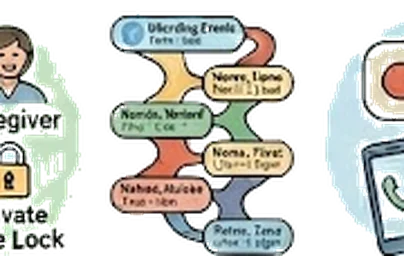
Plain-language timeline of every change, attributed by name and consent basis.
The "who changed what?" question that has no good answer
In any shared system, sooner or later someone needs to know who made a decision and when. Other caregiver apps either hide this entirely or surface it as a developer-style audit log full of database fields. Neither helps a tired family member trying to figure out at 11pm why the morning med dose was changed.
A readable timeline, with provenance
Every change to the workspace lands in the activity feed at /family/[id]/activity as a plain-English line: who did it, what they did, when. Each row also carries the actor’s consent basis at the time ("Sarah, Healthcare POA") so the trail stays accurate even if circumstances change later. Observers see only their own activity; everyone else sees the full feed. Filter by member or date range when you’re looking for something specific.
Reconstructing a decision
Six months in, the cardiologist asks why Mom switched from Lisinopril to Losartan. You open the activity feed, filter to medications, scroll back to the date in question, and find the entry: "Sarah (Healthcare POA, signed Mar 2026) updated Mom’s medication list — replaced Lisinopril 10mg with Losartan 50mg. Note: doctor swapped due to dry cough side effect." Question answered, source preserved.
The longer version
The problem nobody talks about
Caregiving inside a family with multiple adults is collaborative on a good day and unintentionally adversarial on a bad one. Three siblings sharing a workspace will eventually have an argument about something one of them did or didn’t do. The medication change. The cancelled appointment. The DNR conversation that one sibling thought was settled and another sibling thought was still open.
These aren’t bad-faith disputes. They’re just memory failures — three exhausted people trying to reconstruct, weeks later, who did what when. Without a record, the conversation becomes “I’m pretty sure I called the cardiologist last Tuesday,” followed by another sibling saying “no, I think that was the orthopedist,” followed by silence and a sinking realization that nobody knows.
The other version of this is worse. Something goes wrong — a medication was double-dosed, an appointment was missed, a decision was reversed without anyone noticing. The first thing the family wants to know is: who did what, when. Without an audit log, that question is unanswerable. With one, it’s instant.
What Kintaria does
Every meaningful write to a workspace is recorded automatically. The trigger fires inside the database, so nothing depends on a developer remembering to log a particular action. If a value changed, the change is in the audit log.
Each entry captures:
- Who — the workspace member who made the change (or the system, for automatic actions like cron jobs)
- What — the table, the row, the action (insert / update / delete), and a human-readable summary like “Updated medication: Eliquis”
- When — the exact timestamp
The log is visible to every family member in the workspace. There’s no admin tier — caregivers see what other caregivers did. The owner can see the full trail. Nothing is hidden from members who have access to read the underlying data.
Why this works the way it does
A few design decisions that matter:
Triggers, not application code. The audit log is implemented inside the database itself, via PostgreSQL triggers. That means no matter what wrote the change — a server action, a future mobile app, a future webhook, a manual SQL fix — the audit row gets written. You can’t accidentally skip auditing by forgetting to call a logger.
Auto-cleaning, not manual. The trigger function knows about every audited table’s column names and produces useful summaries (“Added medication: Eliquis 5mg twice daily” instead of just “medication.insert”). The human-readable summary is what families actually scan in the feed.
Family-visible, not just admin-visible. A lot of healthcare audit logs are designed for compliance teams, not for the people whose data it is. Kintaria’s log is in the workspace, readable by family members, because the family is the relevant audience.
What we deliberately don’t audit
The assessment tables — functional / SDOH / nutrition / home-safety / advance-care-planning — are intentionally NOT in the audit log. Those rows contain extremely sensitive content (food insecurity, loneliness, firearm presence, end-of-life preferences) that we don’t want repeated into a feed that every member can scroll through.
The decision was: capture the underlying data with full security, but don’t broadcast the changes. If you mark on a form that there are firearms in the home, that’s in the workspace record but not on the family activity feed.
Why this matters
The audit log isn’t about distrust. It’s about memory and accountability — the two things multi-sibling caregiving most relies on and most easily loses.
When something good happens, the log lets you give credit. When something falls through the cracks, the log lets you reconstruct what happened so you can fix the process, not the person. When the family is in conflict, the log replaces “I’m pretty sure” with “at 4:32 PM on the 17th.”
It also has a quieter purpose. The moment a workspace owner steps back from active caregiving — because they’re overwhelmed, traveling, or grieving — a sibling who picks up the load can read the audit log and reconstruct what’s been happening without anyone having to brief them. The work is preserved even when the worker isn’t around.
The audit log isn’t about distrust. It’s about memory and accountability — the two things multi-sibling caregiving most relies on and most easily loses.
More of what Kintaria does
Bilingual workspace
Mom reads in her language. Her American-raised kids read in theirs. One shared record, no translation tax on anyone.
Learn more →CoordinateShared calendar
Every appointment in one place — with the prep questions, directions, and who’s driving.
Learn more →CoordinateFamily members + roles
Owner, caregiver, observer, parent — four roles that match how families actually share care.
Learn more →Start your free trial.
Free for 12 months for the founding 500 families. No card, no waitlist.