Coordinate
Bilingual workspace
Mom reads in her language. Her American-raised kids read in theirs. One shared record, no translation tax on anyone.
The translation tax in immigrant families
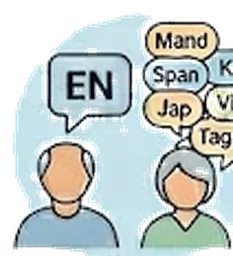
In a typical Chinese, Korean, Japanese, Vietnamese, Tagalog, or Spanish-speaking family caring for an aging parent in the US, one person ends up translating everything. The doctor speaks English. The siblings text in English. Mom reads Mandarin. Every appointment summary, every medication change, every note gets translated by hand — usually by the eldest daughter, usually at the end of a long day. The translation work is invisible, unpaid, and ongoing.
Side-by-side translation, original preserved
Write a note in English. Kintaria automatically renders the same note in your parent’s language right next to it. Mom reads the Mandarin column on her phone; you read the English column on yours. The original you wrote stays the official record — translations sit alongside, never replace. Seven languages today (English, Spanish, Mandarin, Korean, Japanese, Vietnamese, Tagalog), powered by Claude with medical terminology tuned for caregiving contexts.
After a cardiology visit
You finish the cardiology appointment with Dad, drop into the car, and dictate a quick note: "New med — Metoprolol 25mg, evenings. BP check 2x daily for two weeks." By the time Dad gets home and opens Kintaria on his phone, he sees the same note in Vietnamese, with the medication name in both languages so the pharmacist doesn’t get confused next refill. His sister in Saigon (an observer in the workspace) reads it in Vietnamese too. No one re-typed anything.
The longer version
How it works in 30 seconds
- In workspace settings, pick the parent’s preferred language (Spanish, Chinese, Korean, Japanese, Vietnamese, or Tagalog) and toggle on bilingual mode.
- The English-speaking children write notes in English as usual. Each one is automatically translated into the parent’s language and shown side-by-side underneath the original.
- The parent opens the workspace in her own language — the UI labels, dates, and translated notes all appear in her language; she can read every update without anyone translating for her at midnight.
- Existing notes are translated the first time anyone views them in bilingual mode. Translations are cached so no Claude calls run in the read path.
The problem nobody else is solving
In first-generation immigrant families, caregiving for an aging parent runs straight into a language gap that no other caregiver app has noticed.
The pattern is familiar:
- The parent — born in Vietnam, Korea, China, the Philippines, Mexico — speaks her language at home, reads it on her phone, talks to her doctor through her daughter.
- The adult children — born here or raised since elementary school — speak English with each other, write in English at work, and have heritage-language fluency that has narrowed to family conversations. Their reading is rusty. Their writing is rustier.
When a parent is healthy, the gap is manageable. When she lands in the ER, it becomes the entire problem. The daughter coordinates with the cardiologist in English. The son in another state needs the update. Mom needs to know what was decided about her own body — and the daughter is too exhausted to translate the cardiology note word-for-word at midnight.
Every caregiver app on the market — CaringBridge, Lotsa Helping Hands, ianacare, FamilyWall — assumes one language per household. The interface is either English or it’s translated, but it’s the same language for everyone in the workspace. That assumption is wrong for an enormous slice of American caregivers.
What Kintaria does differently
Kintaria is the only caregiver workspace where the parent and her children can each use their own language inside the same shared space.
Set it once. The workspace owner picks the parent’s preferred language (Spanish, Chinese, Korean, Japanese, Vietnamese, Tagalog — more on request) and turns on bilingual mode in Settings.
Notes show in both languages. When the daughter posts “Cardiologist said Dad’s BP is fine, follow up in 3 months,” everyone in the workspace sees the English original AND a translation in the parent’s language directly below it. The translation is automatic — driven by Claude, with a medical-context system prompt that preserves drug names, dosages, lab values, and proper nouns. The English original stays exactly as written; nothing is lost.
No re-translation tax. Translations are cached per note. Editing a note triggers a fresh translation; an unchanged note is never re-translated. A typical workspace will see total Claude costs measured in cents per month, not dollars.
Mom reads on her phone. She signs in, sees her workspace in her language. She can read along when the doctor is talking to her daughter. She can read the visit summary herself, in her language, without anyone interrupting their day to translate.
Who this serves
- The 60M+ first-generation Americans whose parents are aging now.
- Chinese-American adult daughters in their 40s-50s caring for parents who immigrated in the 1970s-1990s and never had to write English fluently.
- Korean-American sons coordinating with siblings across three time zones about a mom in LA who reads Korean comfortably and English with effort.
- Vietnamese, Filipino, Latino families with the same pattern — the always-on, almost-invisible cognitive load of being the family’s translator-in-chief on top of being the caregiver-in-chief.
These caregivers aren’t a niche. They’re the most over-burdened cohort in the caregiving population — handling the same medical complexity as English-fluent families, plus the translation layer, plus the cultural expectations of filial responsibility that often forbid asking siblings for help.
Why no one else is doing this
Two reasons.
First, the language gap is invisible to the founders of existing caregiver apps. They aren’t from these families, and the families haven’t been loud about it because they’ve assumed it’s their burden to carry.
Second, until recently, the cost of medical-quality translation was prohibitive. Hiring a translator per note is impossible. Google Translate’s output is bad enough to embarrass the family. Only in the last two years has AI translation gotten reliable enough — and cheap enough — to deploy this casually at the per-note level.
Kintaria ships at exactly the moment when the technology makes it tractable and the market signal is starting to surface.
What this is and isn’t
- Translation is AI, not professional. Good enough to communicate clearly for routine notes; not a substitute for a professional medical interpreter in high-stakes legal conversations like advance directives or surgical consent.
- Original always wins for the record. Medical records, advance directives, legal documents — Kintaria treats the English original as authoritative. The translation is a reading aid, not a replacement.
- More surfaces are rolling out. The bilingual treatment first arrived for caregiver notes; visit summaries, the ER print one-sheet, and two-way translation (Mom writes in Mandarin → siblings see English) are next on the roadmap.
Kintaria is the only caregiver app where the parent and her American-raised children can each use their own language inside one shared workspace.
More of what Kintaria does
Shared calendar
Every appointment in one place — with the prep questions, directions, and who’s driving.
Learn more →CoordinateFamily members + roles
Owner, caregiver, observer, parent — four roles that match how families actually share care.
Learn more →CoordinateActivity feed
Plain-language timeline of every change, attributed by name and consent basis.
Learn more →Start your free trial.
Free for 12 months for the founding 500 families. No card, no waitlist.